
Referral Portal Guide
Place a referral in under a minute
This walkthrough covers everything you need to create referral profiles for your clients. The platform handles the matching, outreach, and consent from there.
Before you start
- 1.Create an account at StartHere.care and complete your therapist profile. This takes about 5 minutes.
- 2.Get your license verified. Most state licenses are auto-verified within seconds. If yours needs manual review, we typically handle it within 24 hours.
- 3.Once verified, you'll have access to the referral portal from your dashboard.
Find the referral portal on your dashboard
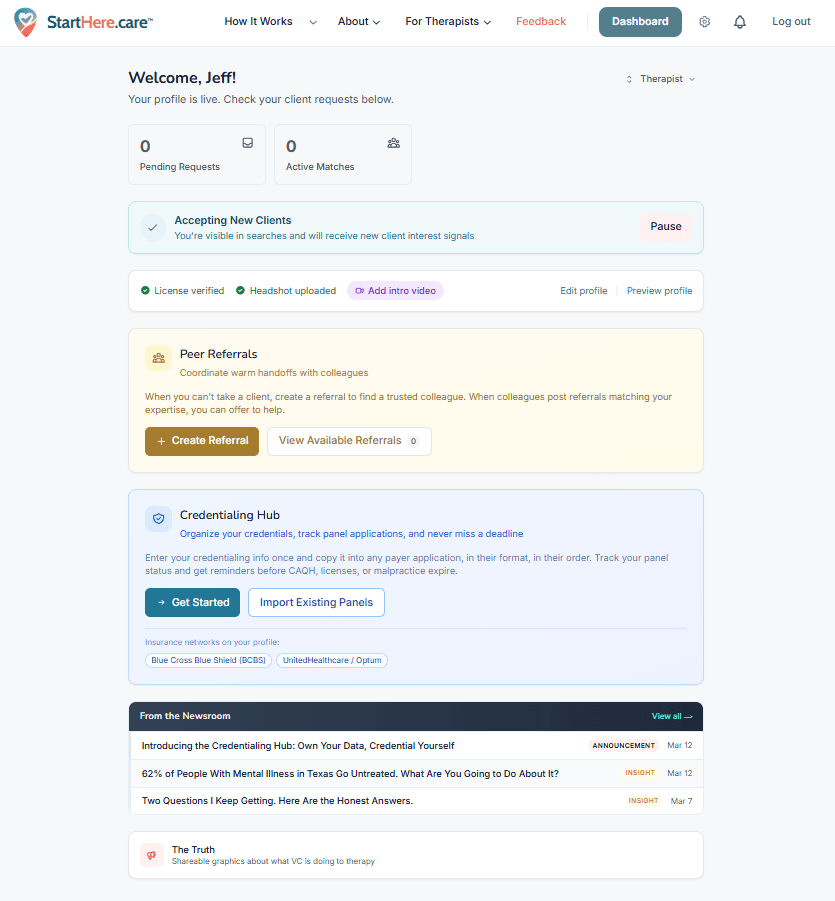
After logging in, you'll land on your dashboard. In the middle of the page you'll see the Peer Referrals section. Click + Create Referral to start building a client profile.
If you have multiple clients to refer, you'll repeat this process for each one. Each profile takes about a minute.
Fill in the client basics
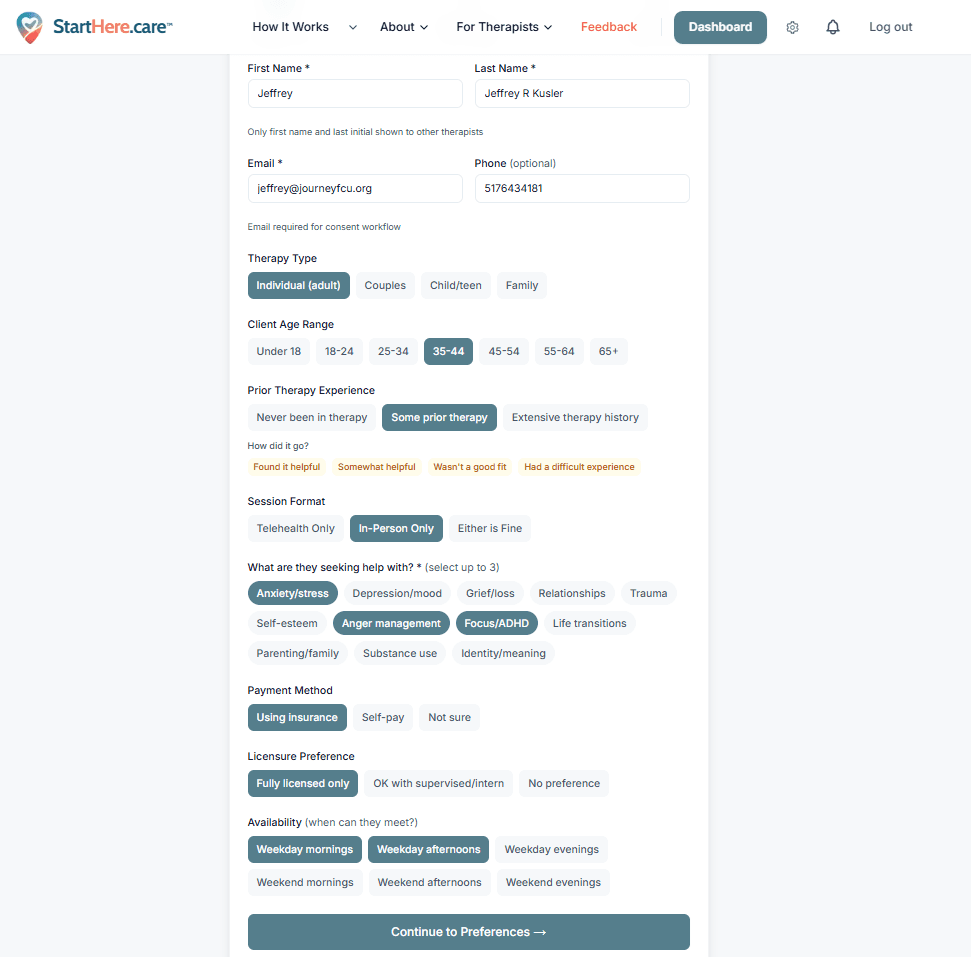
Enter the client's contact information and select the basics: therapy type, age range, session format, presenting concerns, payment method, and availability.
The client's email is used for the consent workflow once a match is selected. They'll receive an introduction email connecting them with the receiving therapist.
When you're done, click Continue to Preferences.
Add their preferences
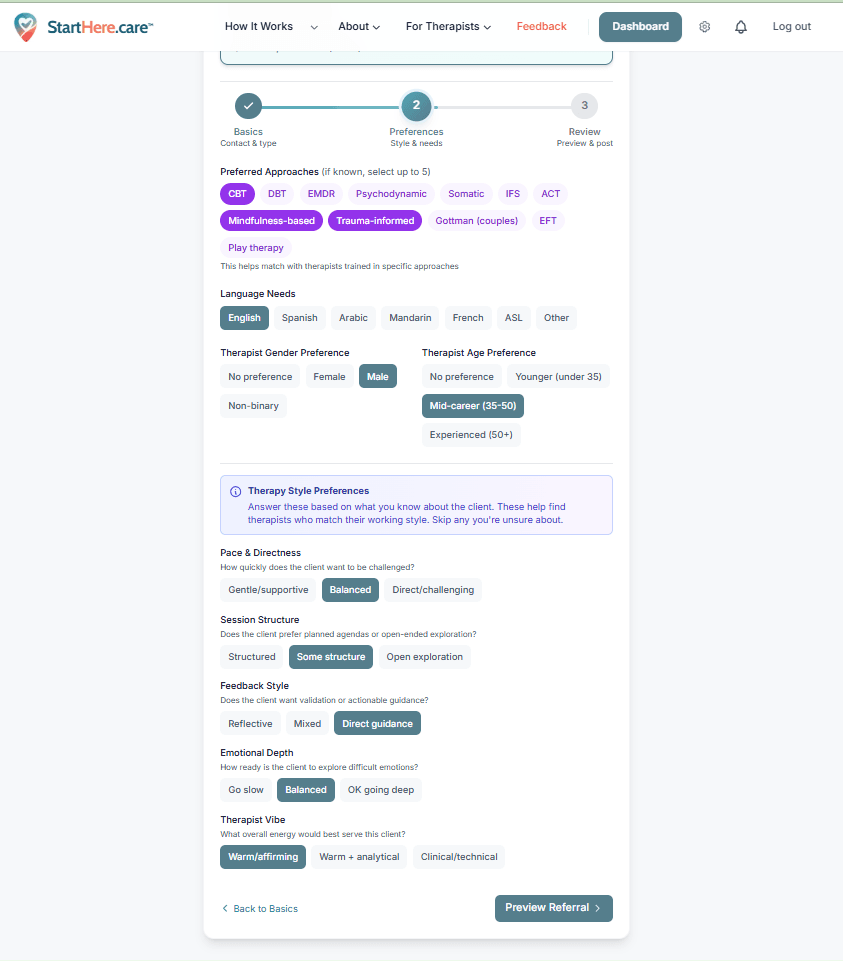
This is where the matching gets precise. Fill in what you know about the client's preferences: preferred therapeutic approaches, language needs, therapist gender and age preferences, and therapy style preferences (pace, structure, feedback style, emotional depth, and vibe).
Fill these out to the best of your ability based on what you know about the client. Skip anything you're unsure about. When done, click Preview Referral.
Review, add notes, and publish
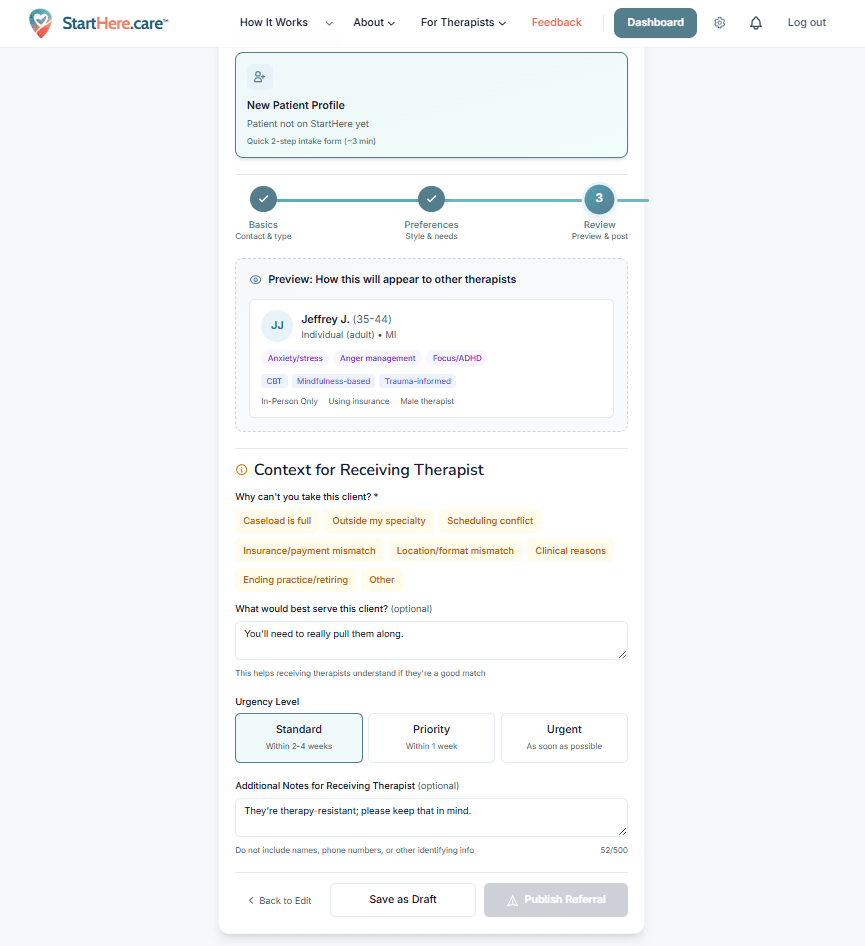
On the review screen, you'll see a summary of everything you entered. This is where you can:
- Add context in "What would best serve this client" to help receiving therapists understand the case
- Include any notes for the receiving therapist (clinical context, transition details, etc.)
- Set the urgency level. If your clients need to be placed quickly, select Urgent.
Click Publish Referral and the system takes over. It scores the referral against every therapist on the platform, notifies strong matches, and you'll be able to review interested providers from your dashboard.
What happens after you publish
- 1The platform identifies therapists who are strong matches for your client and notifies them by email.
- 2Interested therapists review the referral and express interest. You'll see them appear on your dashboard.
- 3You select the best provider for your client. The platform sends a warm introduction email to your client and the receiving therapist, kicking off the handoff.
Placing multiple clients at once
If you have a full caseload to transition, here's how to make it efficient:
- Block out about an hour. At roughly a minute per profile, you can create 20+ referrals in one sitting.
- Set all urgency levels to Urgent. This prioritizes your referrals in therapist notifications.
- Add clinical notes. Receiving therapists make better decisions when they understand the case context.
- Check your dashboard daily. As therapists express interest, you can review and select the best fit for each client.
Alternative: let clients find their own match
If you'd rather not create referral profiles yourself, you can send clients directly to the platform. They'll complete their own intake and see strong matches immediately.
We have a page you can share with them that explains the process: starthere.care/referred
Sample blurb to send clients
"I wanted to share a free resource that may help with your therapist search. StartHere.care is a therapy-matching platform that connects people with therapists based on fit, including things like insurance, format, specialty, and preferences. You can create your own profile and immediately view strong matches. Visit starthere.care/referred to get started."
Free forever. No subscriptions, no hidden fees.
Need help? Email info@starthere.care or call (517) 643-4181